How Much Does It Cost to Build a Computer for Construction in 2026
Discover how much it costs to build a computer for construction, BIM, and CAD. Explore 2026 pricing, hardware tiers, and financing options for pros.
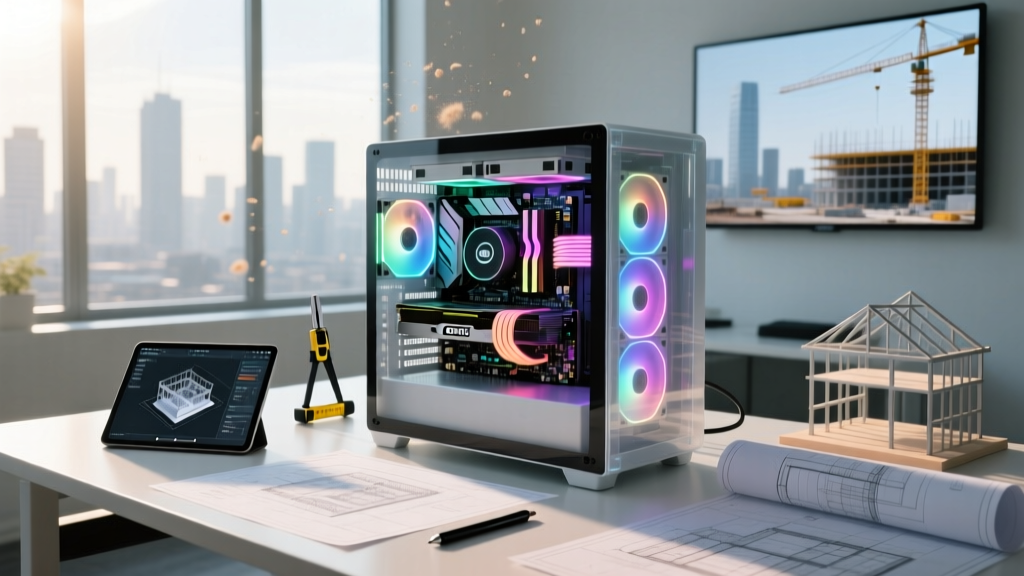
Why Construction Estimators Need Custom-Built Workstations
When evaluating capital expenditures for a construction firm, IT hardware often takes a backseat to heavy equipment. However, for estimators, BIM managers, and VDC (Virtual Design and Construction) coordinators, the workstation is their primary tool. Running 500-page drawing sets in Bluebeam Revu, compiling complex cost databases in heavy Excel models, and rendering 3D environments in Revit 2026 or Navisworks Manage requires immense computational power. Off-the-shelf consumer PCs frequently bottleneck these workflows, leading to costly delays during bid deadlines.
So, how much does it cost to build a computer tailored for construction and architecture professionals in 2026? The price ranges from $1,850 for a dedicated freelance estimator setup to over $7,500 for an enterprise-grade rendering and clash-detection rig. This guide breaks down the exact component costs, hidden peripheral expenses, and the financial strategies—including Section 179 deductions and equipment leasing—used to acquire these systems without straining your firm's cash flow.
The 2026 Hardware Cost Breakdown for Construction Workstations
Construction software relies heavily on single-core CPU performance for modeling and multi-core performance for rendering. According to the Puget Systems Autodesk Revit Benchmark, high-frequency processors like the AMD Ryzen 9 9950X or Intel Core Ultra 9 series outperform lower-frequency, high-core-count server chips in daily BIM tasks. Below is the 2026 pricing matrix for three distinct tiers of construction workstations.
| Component | Tier 1: Freelance Estimator ($1,850) | Tier 2: Small Firm BIM ($3,600) | Tier 3: Enterprise VDC ($7,500+) |
|---|---|---|---|
| CPU | AMD Ryzen 7 9700X ($350) | AMD Ryzen 9 9950X ($650) | AMD Threadripper PRO 7965WX ($2,400) |
| GPU | NVIDIA RTX 4060 Ti 16GB ($450) | NVIDIA RTX 5080 16GB ($1,100) | Dual NVIDIA RTX 5090 24GB ($3,800) |
| RAM | 32GB DDR5-6000 ($120) | 64GB DDR5-6000 CL30 ($240) | 128GB ECC DDR5 ($650) |
| Storage | 1TB WD Black SN850X ($90) | 2TB WD Black SN850X ($170) | 4TB Samsung 990 PRO RAID ($450) |
| Motherboard | B650 ATX ($180) | X670E ATX ($350) | WRX90 Workstation Board ($900) |
| PSU & Cooling | 750W Gold / Air Cooler ($160) | 1000W Platinum / 240mm AIO ($300) | 1600W Titanium / Custom Loop ($800) |
Financing Your Build: Capital Expenditure vs. Operating Lease
Understanding how much it costs to build a computer is only the first step; determining how to pay for it is where construction firm owners must apply financial strategy. Hardware acquisition generally falls into three categories: outright purchase, equipment leasing, and tax-optimized expensing.
Leveraging the Section 179 Tax Deduction
For profitable construction firms, purchasing workstations outright and utilizing the IRS Section 179 deduction is often the most financially sound strategy. Section 179 allows businesses to deduct the full purchase price of qualifying equipment from their gross income in the year it is placed into service, rather than depreciating it over five years. According to the IRS Section 179 Guidelines, IT hardware, including custom-built workstations, qualifies as tangible personal property.
The Math: If your firm purchases five Tier 2 BIM workstations at $3,600 each, your total capital outlay is $18,000. Assuming an effective combined federal and state tax rate of 28%, deducting the full $18,000 reduces your tax liability by $5,040. This effectively lowers the net cost of the hardware fleet to $12,960.
Equipment Leasing for Cash Flow Preservation
For startups or firms managing tight cash flow during seasonal construction lulls, equipment leasing preserves working capital. A standard 36-month Fair Market Value (FMV) lease for a $3,600 workstation at a 7.5% interest rate results in monthly payments of approximately $112. Lease payments are typically fully deductible as an operating expense. Furthermore, leasing allows firms to upgrade to new hardware at the end of the term, ensuring estimators never fall behind the escalating system requirements of annual software releases.
Hidden Costs: Peripherals, Power Protection, and Ergonomics
The PC tower is only one part of the estimating station. Firms must budget for the peripherals that directly impact productivity and hardware longevity, especially in harsh job-site trailer environments.
- Uninterruptible Power Supply (UPS): Job site trailers are notorious for dirty power and sudden outages. A 1500VA Pure Sine Wave UPS (approx. $220) is mandatory to protect sensitive motherboards and prevent data loss during sudden power drops. The Autodesk Revit System Requirements explicitly recommend stable power environments to prevent file corruption during intensive save operations.
- Color-Accurate Monitors: For client presentations and architectural reviews, a 27-inch 4K IPS monitor with 100% sRGB coverage (approx. $450) ensures that material finishes and design elements are represented accurately.
- Ergonomic Input Devices: Estimators spend thousands of hours clicking and scrolling through takeoffs. Investing in a vertical ergonomic mouse ($80) and a mechanical keyboard with tactile switches ($150) reduces the risk of repetitive strain injuries (RSI), minimizing costly employee downtime.

Financing Decision Matrix: Which Path Fits Your Firm?
Use the following framework to determine the optimal financing route for your construction technology upgrades.
| Firm Profile | Cash Flow Status | Recommended Financing | Primary Benefit |
|---|---|---|---|
| Established GC / High Profitability | Strong Reserves | Outright Purchase + Section 179 | Maximizes immediate tax savings; lowest total cost of ownership. |
| Startup Estimating Firm | Tight / Project-Dependent | 36-Month FMV Lease | Preserves working capital for bonding and material deposits. |
| Freelance Takeoff Specialist | Moderate / Variable | 0% APR Business Credit Card | Defers payment for 12-18 months while building business credit. |
Real-World ROI: Calculating the Cost of Slow Hardware
To justify the cost of building a high-end computer, firms must calculate the hidden cost of their current hardware. Consider a senior estimator billing at an internal cost of $65 per hour. If their outdated PC forces them to wait just 12 minutes a day for Revit models to open, Bluebeam to render, or Excel macros to compile, that equates to one lost hour per week.
Over a 50-week working year, that is 50 lost hours, costing the firm $3,250 in pure wasted labor. Upgrading from a Tier 1 to a Tier 2 workstation costs an additional $1,750. The hardware upgrade pays for itself in just seven months through reclaimed productivity, not even factoring in the reduced risk of missed bid deadlines caused by system crashes. When asking how much it costs to build a computer, the more critical question is how much it costs your firm not to build one.
Written by
Sarah WhitfieldSarah Whitfield is a chartered quantity surveyor (MRICS) and construction cost analyst with 15 years of experience in material pricing, procurement strategy, and project budgeting. She earned her degree in Construction Management from the University of Reading (UK) and has worked on projects ranging from $2M custom homes to $180M mixed-use developments across North America and Europe. Sarah currently leads cost estimating for BuildMat Insight, maintaining a proprietary database of 4,000+ material price points updated quarterly. She is a frequent contributor to RSMeans cost data panels and has presented at the International Cost Engineering Council (ICEC) congress. Based in Denver, CO, Sarah is an avid trail runner and volunteer mentor for Women in Construction.
More from Sarah Whitfield
View all
Wood & Lumber
What Are the Different Types of Wood? A Builder's Guide
Compare structural softwoods, finish hardwoods, and engineered lumber. Analyze Janka ratings, MOE values, and 2026 pricing for construction.
Aug 4, 2026
Walls & Panels
Steel Framing vs Wood Framing: Corrosion and Moisture Defense
Compare steel framing vs wood framing for moisture resistance. Learn about galvanized coatings, condensation risks, and corrosion protection strategies.
Jul 21, 2026

Stone & Masonry
How to Cut Stone Veneer: Wet Saw vs Grinder Comparison
Compare the best tools for cutting stone veneer. We review wet saws, angle grinders, and chop saws to help you achieve clean, chip-free cuts.
Jul 21, 2026